Set up a SOCKS5 proxy
Overview
SOCKS5 is a protocol for routing traffic through a proxy server. The proxy connects to the destination on your behalf, using its own IP address.
Install the proxy
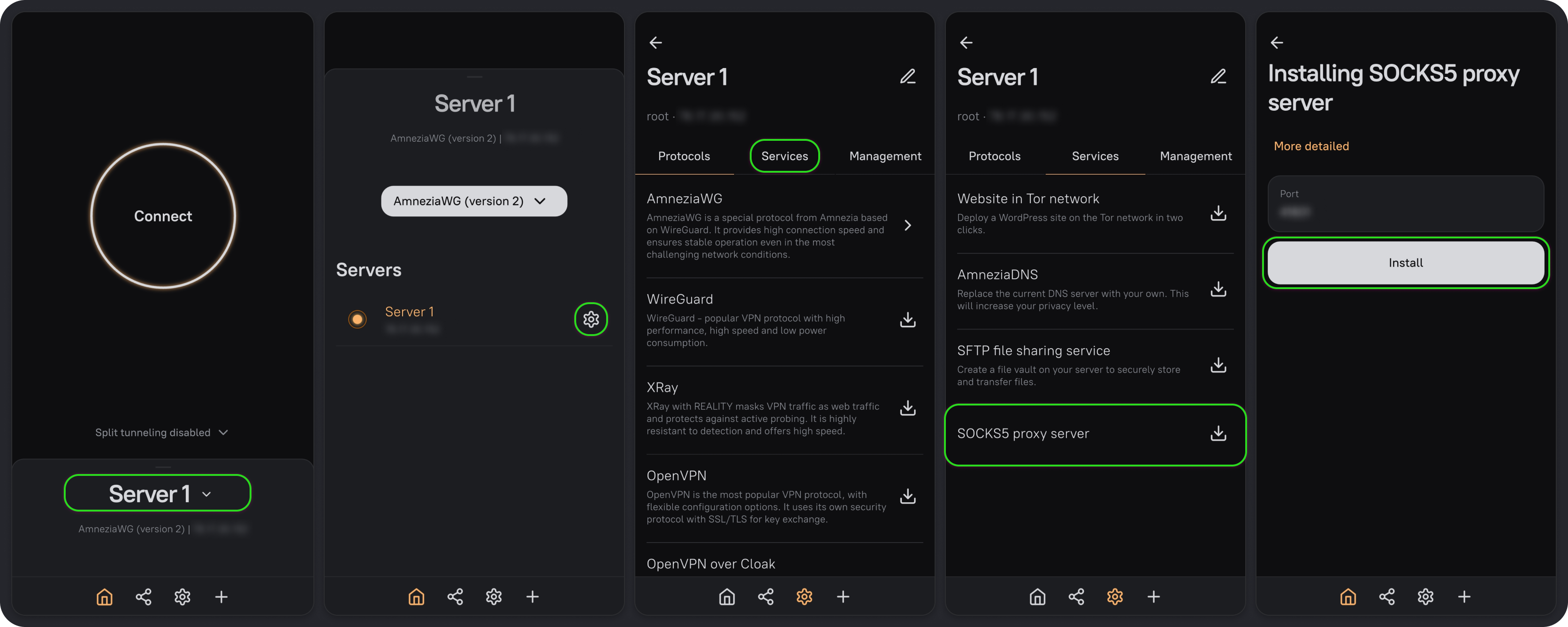
- On the main screen, click the server name.
- Click the settings icon next to the server name.
- Go to the Services tab and select SOCKS5 proxy server.
- Keep the default port or choose a different one, then click Install.
Find your connection details
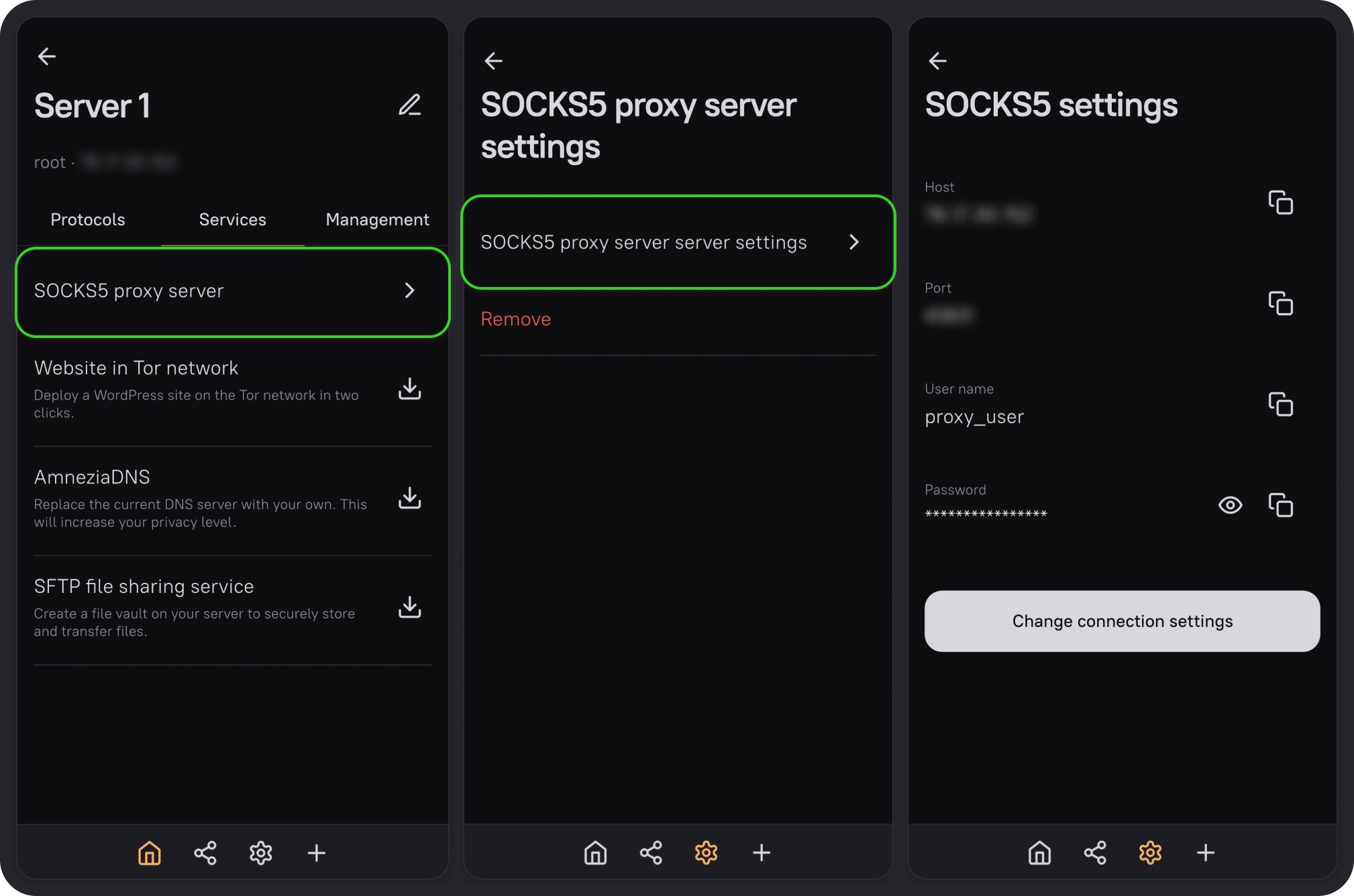
- Once installation is complete, return to the Services tab and select SOCKS5 proxy server.
- Select SOCKS5 proxy server server settings to open SOCKS5 settings.
You'll find the host, port, username, and password on this screen.