
Set up AmneziaDNS
Overview
AmneziaDNS is a service you can install on your server using AmneziaVPN. It runs a DNS resolver inside the server's Docker network. VPN clients can use it to send DNS queries through the VPN tunnel instead of relying on their internet provider's DNS servers.
This helps reduce the risk of DNS leaks, bypass local DNS filtering, and protect queries from tampering. The VPN connection also works independently of the device's DNS settings.
How AmneziaDNS handles queries
AmneziaDNS does not make your server a public DNS server. The app automatically uses the service's internal address. By default, AmneziaDNS resolves domain names over an encrypted connection to Cloudflare DNS.
If AmneziaDNS is off or hasn't been installed, the VPN connection uses the addresses in DNS servers instead.
Install AmneziaDNS
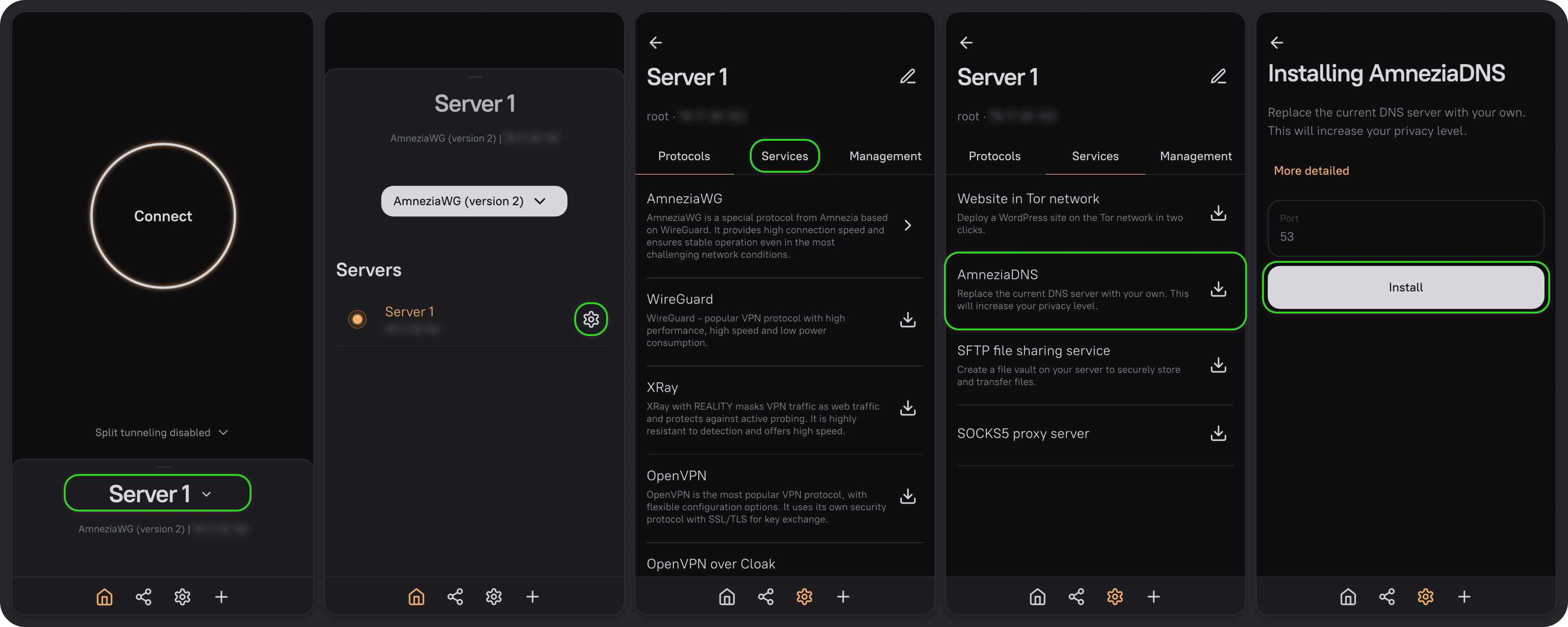
- On the main screen, click the server name, then click ⚙️ next to your server.
- Go to the Services tab, select AmneziaDNS, and click Install.
Enable AmneziaDNS
After installation, turn on AmneziaDNS in the connection settings:
- Click the gear icon in the app's bottom bar to open Settings, then select Connection.
- Turn on Use AmneziaDNS.
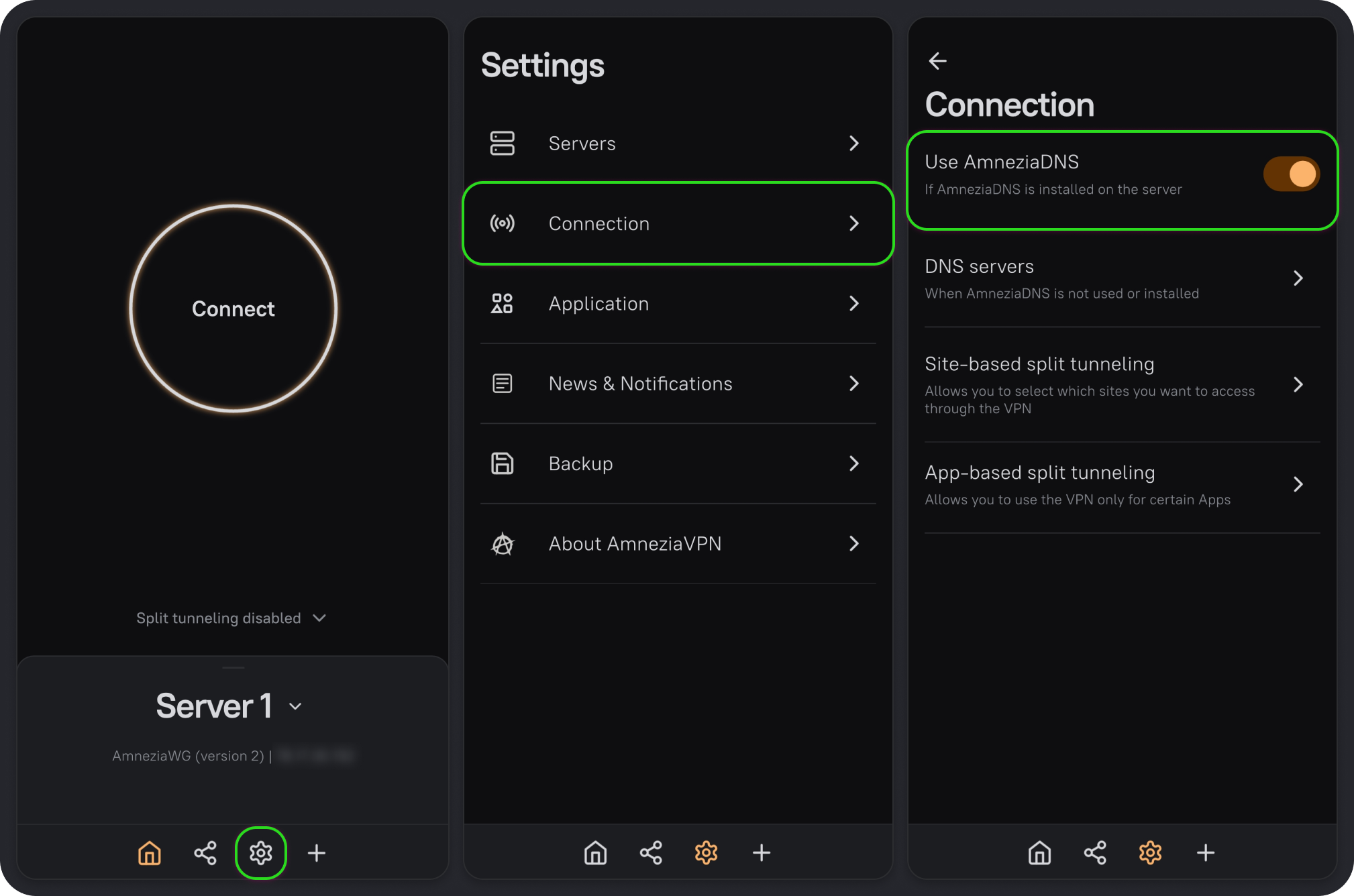
Your VPN connection will now send DNS queries to AmneziaDNS through the VPN tunnel.